Welcome to Creative Common’s FAQ. This is a test project conducted on behalf of Creative Commons to research and recommend free open-source Knowledge Base software that enables easy searching of keywords and questions an enduser might have. As of this writing, 2 WordPress plugins and 1 standalone software have potential. A comparison chart is provided at the end of this article.
Echo Knowledge Base
Echo Knowledge Base is free WordPress plugin that is easy to install and use.
Ease of Use
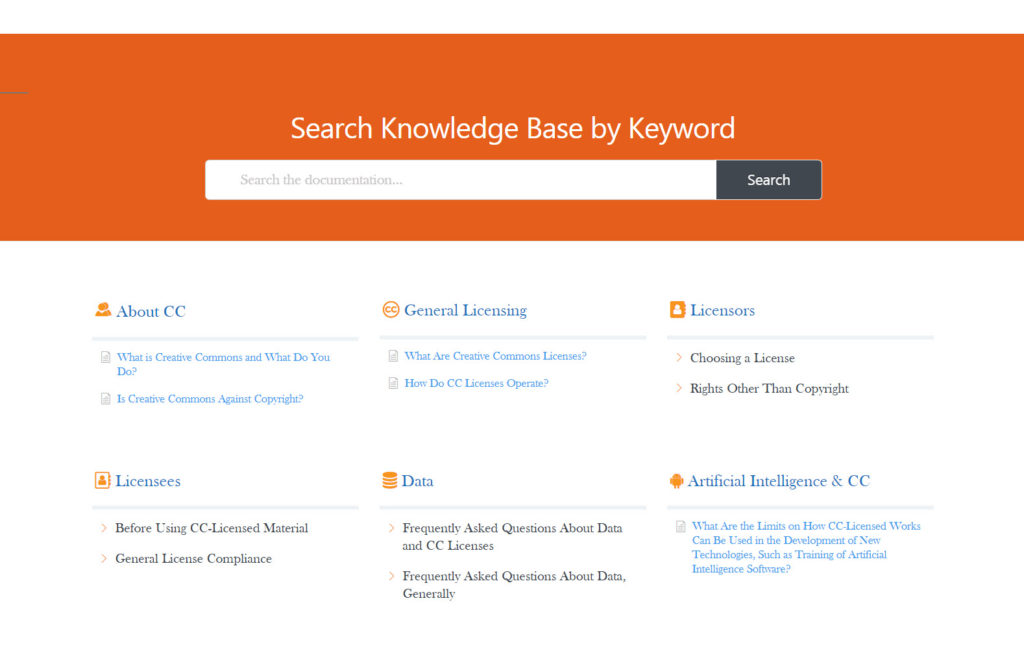
I was able to dive into entering content for this knowledge base by adding categories and subcategories and styling the categories. I added cute icons to fit each category title and adjusted the color scheme to match the Creative Commons FAQ page as best as I could. I was able to add tags to selected articles which I feel will be useful.
This plugin has a ton of other features that I haven’t yet explored that do not impact my ability to add content to the knowledge base.
Multiple FAQ Support
Although free for the basic core features, Echo Knowledge Base offers paid Add-on functionality that will enhance the plugin such as supporting multiple Knowledge Bases. Please visit this page to learn more.
Multi-Language Support
Although this plugin does not support multiple languages by default, you can create multiple Knowledge Bases via a paid Add-on and configure each one to support a different language. Instructions to do so is documented here.
Theme Styling
Styling the knowledge base to match the color scheme of Creative Commons FAQ page is possible at the backend. Take a look at the working demo.
Working Demo
For a working demo of this plugin, visit this page.
BasePress Knowledge Base
BasePress Knowledge Base is another free WordPress plugin that is easy to install. This plugin refers to categories as sections.
Ease of Use
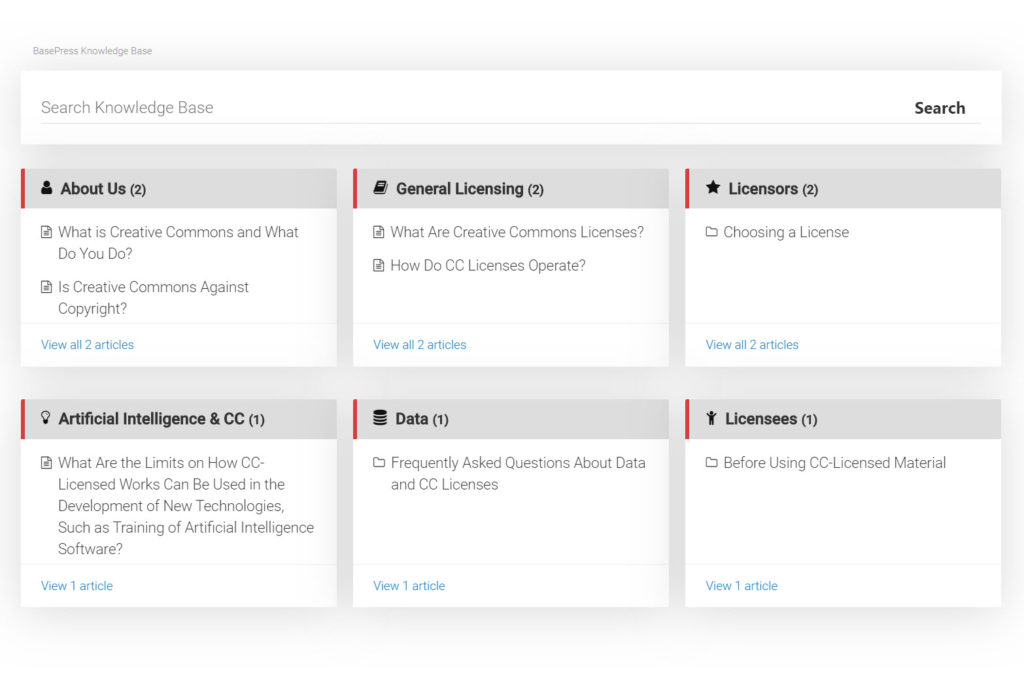
Creating sub-sections is not as intuitive. The knowledge base article for creating sections instructs that one has to click on a previously-created parent section which then displays another page to create a child section. This is not as straightforward as Echo Knowledge Base. On the frontend, clicking on a sub-section will open a new page in order to reveal the articles in it. For those who prefer to avail themselves of the article names up front, they may choose the layout provided by Echo Knowledge Base instead.
This plugin supports a lot of icons, however, most of them are hidden by default and have to be added by configuring the plugin. Many of the icons are similar to Echo Knowledge Base’s icon repository.
This plugin doesn’t appear to support tags. Unlike Echo Knowledge Base, this plugin will not show empty sections by default. One has to create at least one article in order for the section to appear.
Part of the configuration of this plugin enables one to set the number of columns to display for sections which is rather nice.
Multiple FAQ support
The core functionality supports multiple knowledge bases whereas this is only available as an Add-on with Echo Knowledge Base.
Theme Styling
This plugin comes with 3 templates, however, styling the templates on the backend is not available. So, trying to match the color scheme of the Creative Commons FAQ page is not as straightforward.
Multi-Language Support
BasePress Knowledge Base currently supports 3 languages: English, Russian and Swedish.
Working Demo
For a working demo of this plugin, please visit this page.
MyPhpFAQ
MyPhpFAQ is a mature PHP and MySQL database-driven FAQ software that is free and standalone. It is easy to install from a CPanel Administration interface with one click.
Ease of Use
I was able to quickly create categories and sub-categories and populate them with FAQ articles from Creative Commons. MyPhpFAQ lets me add tags as well as keywords for each article.
Multi-Language Support
Internationalization is provided by default supporting 40+ languages including RTL (Right-to-Left) Middle Eastern scripts as you can see from this screenshot below.
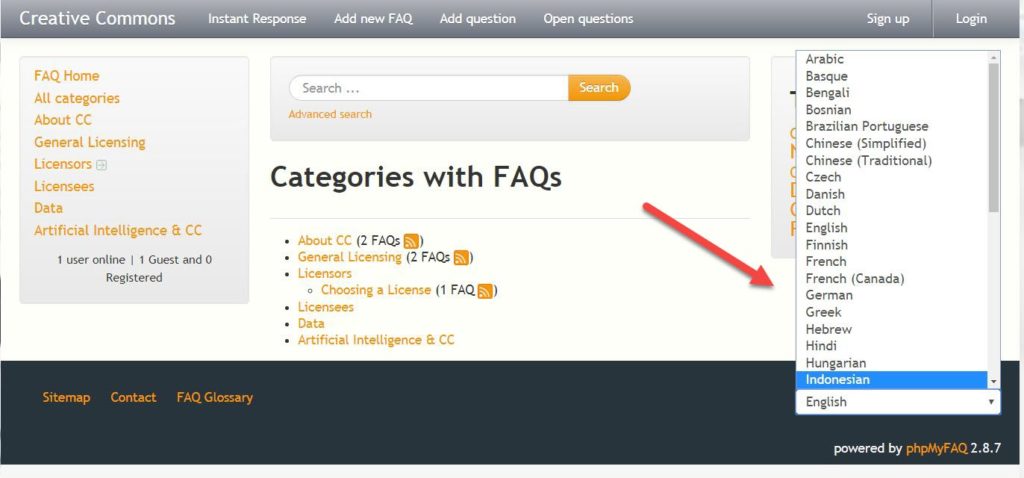
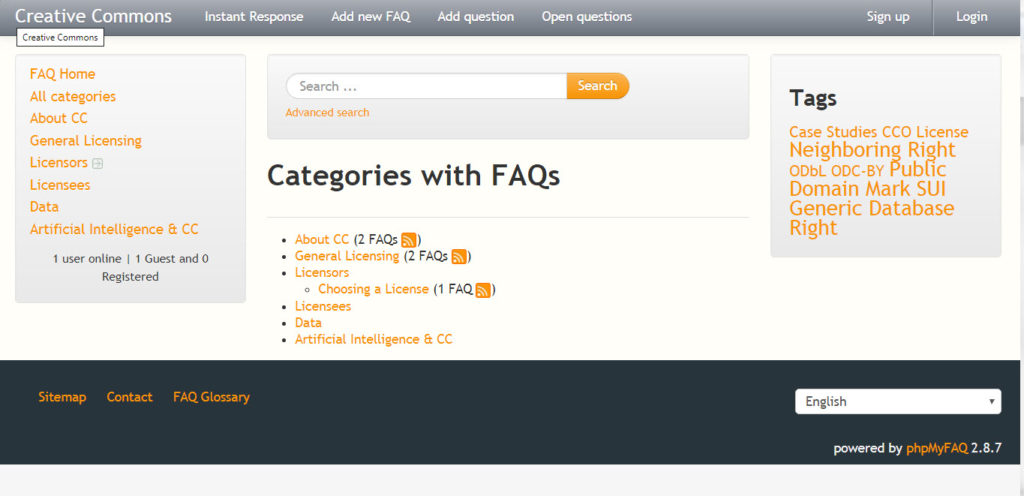
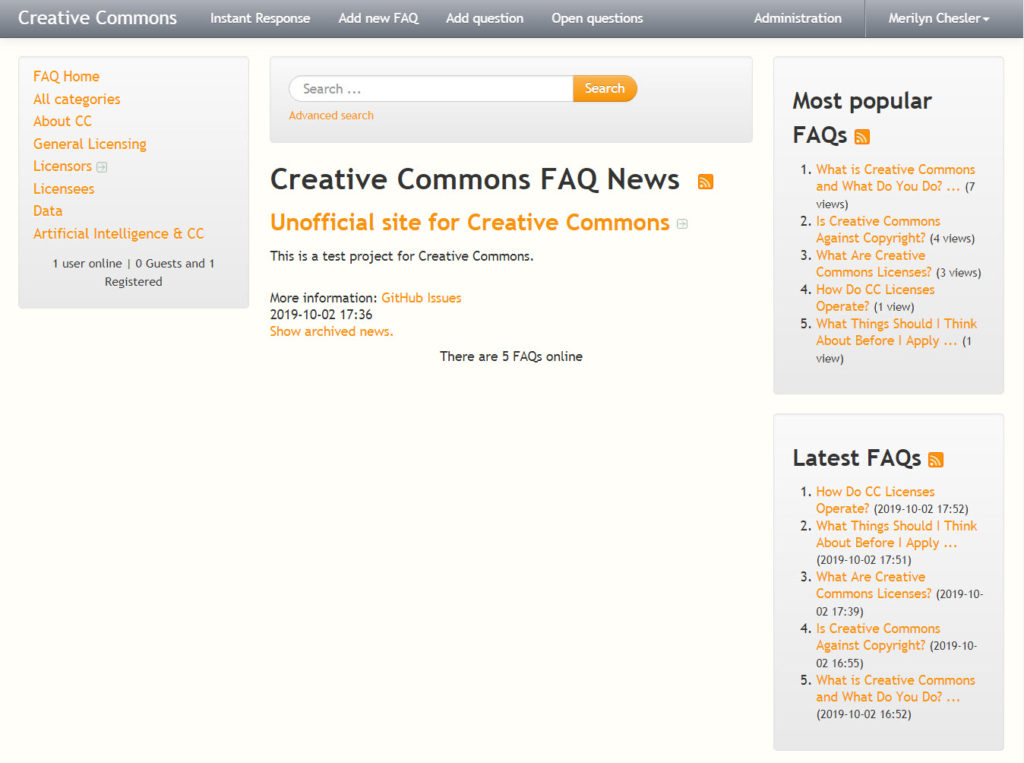
Its layout is not what you would expect of a typical Knowledge Base look (see the two WordPress plugins above). See the screenshot below.
Theme Styling
I am not able to style the color scheme of the installed site from the backend to match Creative Common’s FAQ page as this is not a feature of MyPhpFAQ. It supports a limited number of themes that you will have to install separately.
Layout
When you arrive at the home page, you will see a right sidebar with the Most Popular FAQs and the Latest FAQs as seen in the screenshot below.
Multiple FAQ Support
PhpMyFAQ boasts of many features including the ability to support multiple FAQs, backup and restore its database, accepting questions from the public and proposing new FAQs from the frontend.
Integration with WordPress
Since this is a standalone software, it doesn’t integrate with WordPress at all, but can be linked to it as a menu item. MyPhpFAQ does not have any plans of integrating with WordPress as documented in this page.
Working Demo
For a working demo of this knowledge base software, visit this page.
Comparison Chart
| Feature/Software | MyPhpFAQ | Echo WP Plugin | BasePress WP Plugin |
| Multiple FAQs | Yes | Yes (Paid Add-on) | Yes |
| Easy Theme Styling | No | Yes | No |
| Ease of Use | Yes | Yes | Somewhat |
| Multi-language support | Yes | Yes (Paid Add-on) | Limited (3) |